
In many organizations, the practice of utilizing a local SMTP server integrated with Exchange Online remains quite common.
Depending on the SMTP service used, you have different possibilities to both secure the usage of the smtp server and getting insights from the usage. One crucial area often overlooked is the monitoring of unusual spikes in outbound emails, which can serve as a vital indicator of potential threats/misuse or an application that might be misconfiguerd . This guide aims to provide one way to keep track of unusual spikes in from your smtp connector.
Understanding your normal volume of emails from your SMTP Connector
To obtain a clear understanding of the typical volume of emails sent by your SMTP connector per hour, we will leverage Advanced Hunting within the Defender portal to get this insight.
EmailEvents
| where Timestamp > ago(30d)
| where Connectors == "Local SMTP Connector"
| summarize Count=count() by bin(Timestamp, 1h)
| render timechart
Example output
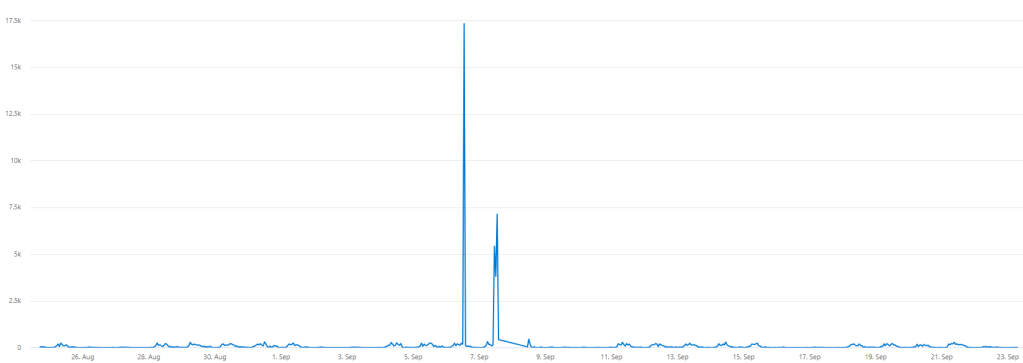
Here, we identified two instances of unusual spikes in the number of sent emails from our SMTP connector. Now, let’s conduct tests with different normal thresholds to determine the appropriate level for setting a baseline.
let NormalThreshold = 450;

EmailEvents
| where Timestamp > ago(30d)
| where Connectors == "Local SMTP Connector"
| summarize Count=count() by bin(Timestamp, 1h)
| extend NormalThreshold = NormalThreshold
| render timechart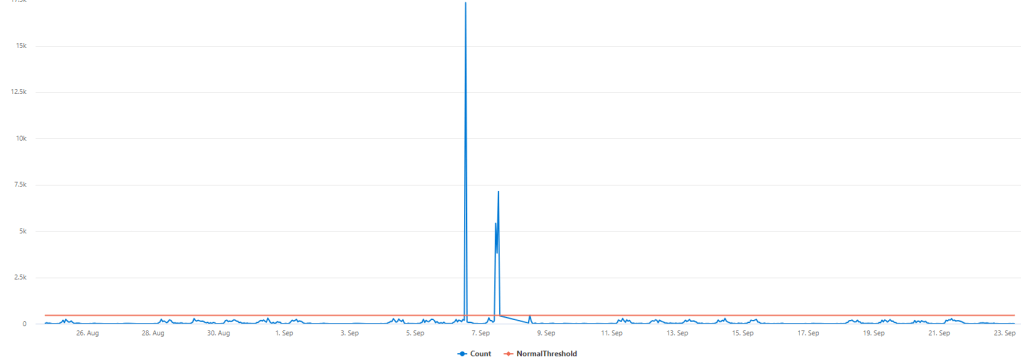
After playing around with the normal threshold value, I could find that approximately everything above 500 emails an hour is beyond a normal amount of emails in this case.
Creating a detection and alert rule based on your normal threshold
Now we need to edit the KQL query, to only detect when the normal threshold value have been breached on an hourly basis
let NormalThreshold = 500;

EmailEvents
| where Connectors == "Local SMTP Connector"
| summarize Count=count() by bin(Timestamp, 1h)
| extend NormalThreshold = NormalThreshold
| where Count > NormalThreshold
| project Timestamp, Count, NormalThreshold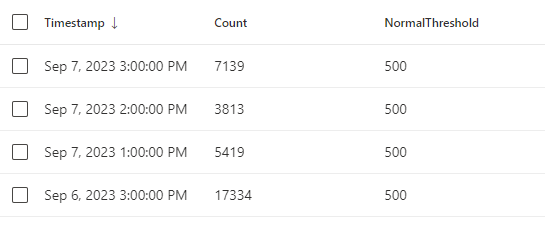
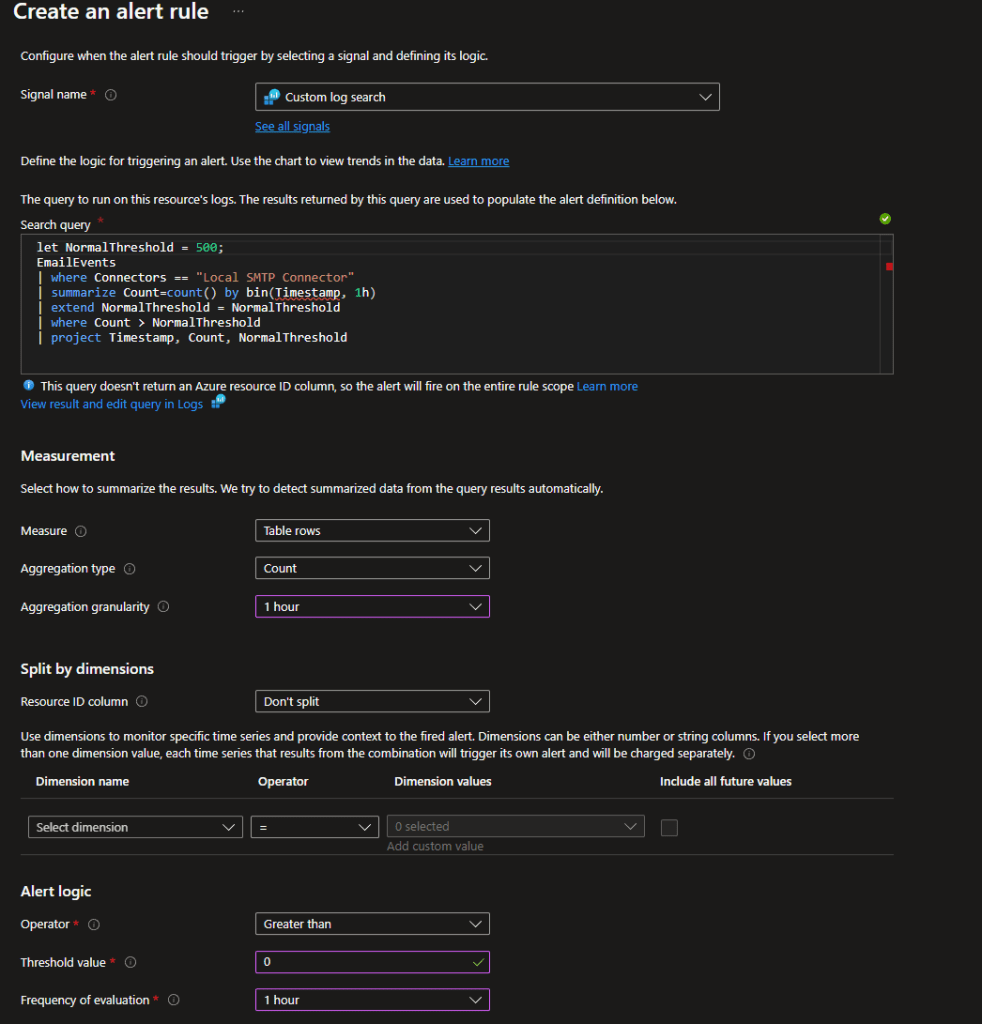
Now, when we can see that we have specific detections over our normal threshold, we can go a head and create a new Alert rule based on the KQL query above.
 Microsoft 365 Security blog by Pontus Själander